3-2-1: Human-Computer Interaction & Productivity Tools
3 Coursepts From HCI
Sometimes, a single course can change your life. Human-Computer Interaction (HCI) was one such course for me. Simply put, this course helps you create Products that your users will LOVE. As a Developer, I always took pride in developing a complex feature, but I least cared about how user-friendly it is. HCI changed my perspective so much so that I switched tracks to pursue Product Management instead of being a Software Developer. HCI was my first course as part of the OMSCS degree from Georgia Tech. It’s a very engaging course, taught brilliantly by Dr. David Joyner, Associate Director of Student Experience at OMSCS at Georgia Tech.
What is HCI
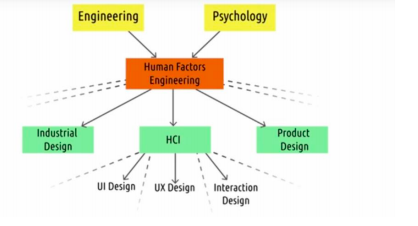
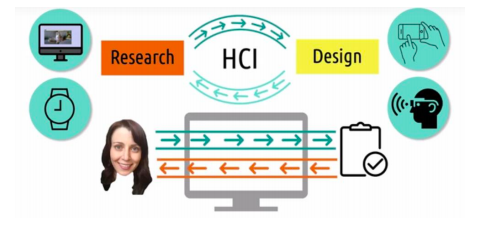
Human-Computer Interaction (HCI) is a vast field, and there’s a Ph.D. program focusing solely on HCI in many universities like Georgia Tech. HCI, as the name suggests, is how humans interact with Computers. The research side of HCI relates to Psychology. How we understand humans help us design interfaces to interact with their tasks. HCI is often confused with UX design. HCI is mainly about understanding the interactions between humans and computers, whereas User experience design is about dictating the interactions between users and computers. In HCI, our goal as designers is to help the human feel like they’re interacting directly with that task while our interface, kind of vanishes, in the middle of that interaction.
Design Principles
In this course, 15 design principles are discussed, as shown in the image below.
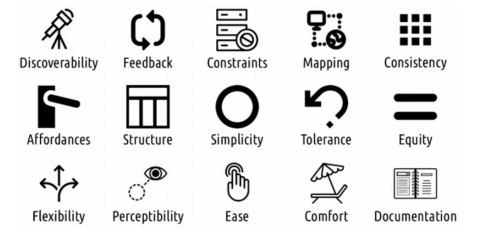
I will discuss a few of them to give a general idea. Discoverability is asking the question - “Is it possible to figure out what actions are possible and where and how to perform them?”. Does that mean you should display all features of your application on the home page? - NO. Simplicity and discoverability often find at tension with each other. Simplicity says that the user should only be given as much information as they need. A good product design maintains a good trade-off between simplicity and discoverability.
Consistency talks both about keeping a behavior consistent both within an application and with external applications. If you’re adding a keyboard shortcut for copy, you’ll add Ctrl+C as that eases the learning of your user. Similarly, if you use one font for headings on one page, you use the same font on other pages. The design of a thing affords or hints at the way it’s supposed to be used. Buttons are meant to be pressed. Handles are intended to be pulled. Knobs are intended to be turned. Even in a web application, you give a button an effect on click similar to that of pressing a physical button.
As intuitive as they seem, it’s quite appalling how many applications miss the simplest of these design principles leading to poor user experience.
Design Life Cycle
One interesting thing about HCI is that all of it seems so obvious, but almost all of us fall victim to our cognitive biases. In the words of Dr. Joyner, if there’s one thing to take away from this class, it’s this - You Are NOT Your User. A good portion of this class is dedicated to HCI Methods that help in building a Product. While there are many definitions of a design life cycle, below is the one that’s used in this course.
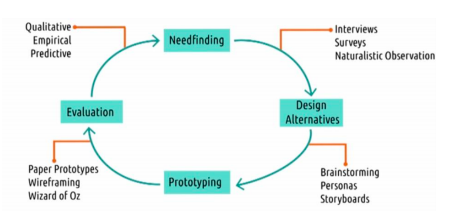
Let’s take the following use case and walk through the process:
Use case: People often forget Bill dues (Credit Cards, Postpaid, Electricity, Water, etc.) and end up paying late payment charges.
Needfinding
The goal of this step is to find out what the user wants genuinely. In this phase, we use surveys, interviews, and observe users performing the task to understand if the users face the problem we’re trying to solve. We would want to write down who our users are, where do they live, what are their tasks and sub-tasks?
Send out surveys and do interviews asking have they ever missed a bill due date? How do you usually remember when to pay? What payment methods do they use? etc., It’s essential to craft surveys and interviews in such a way that you’re avoiding your biases. For example, if you ask a user if they would like to use a Product to remind them about bills, they would most likely say yes to please you. The above statement is an example of a social desirability bias. It always helps to get your surveys and interview questionnaire checked by others to catch such biases.
Design Alternatives
Once you establish a need for the Product, the next step is to come up with some design alternatives to solve the problem. Some ways to do this are as follows:
- Brainstorming (individual and as a group): Come up with at least 20 ideas to solve the problem. Go crazy and creative. Try to constrain yourself to think only out of the box to some extent. In our example, there can be examples as simple as reading user messages and automatically storing the bill amount and due date as a calendar reminder to a complex autopay setup.
- Personas & User Profiles: Who exactly is our user? Say Amit - a 25-year-old Software Engineer who works in an MNC in Bangalore. He owns three credit cards and pays three billers (gas, electricity, and water), and each of these bills are due on a different day. Amit is a unique user persona, and generalizing more such users helps us build user profiles (Software Engineer, 1+ cards, 1+ billers & Tech-savvy). Having these personas and profiles help us design our solution better.
Prototyping
We can choose to prototype one or more alternatives at the initial stage and receive some feedback from the real users. Prototypes can range from low fidelity paper prototypes to a high fidelity wireframes. We start with a paper prototype where we can erase and add elements with ease based on the feedback and slowly build wireframes when we only need subtle changes such as color or style.
Evaluation
Once we have a prototype ready, we’d like to know what our users think about it. At an early stage of Product development, we prefer qualitative feedback, and as time progresses, we would prefer quantitative feedback. We want to evaluate if our Product is efficient, accurate, learnable, memorable, and pleasing to achieve the task. The below picture summarizes how evaluation is done.
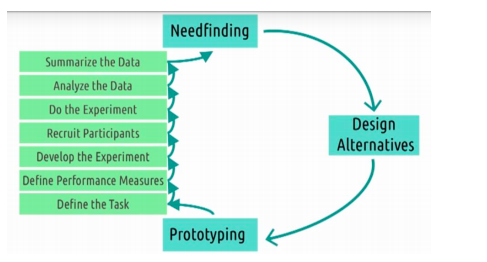
Lastly, this is an iterative process. We keep revisiting this cycle and keep improvising the Product.
Next Steps
- Course link - https://classroom.udacity.com/courses/ud400
- Course home page (with slides, projects, etc.) - here
- Course transcripts with visuals - here
- Suggested book - Design of Everyday Things
2 Tools to be Productive
Pomodoro
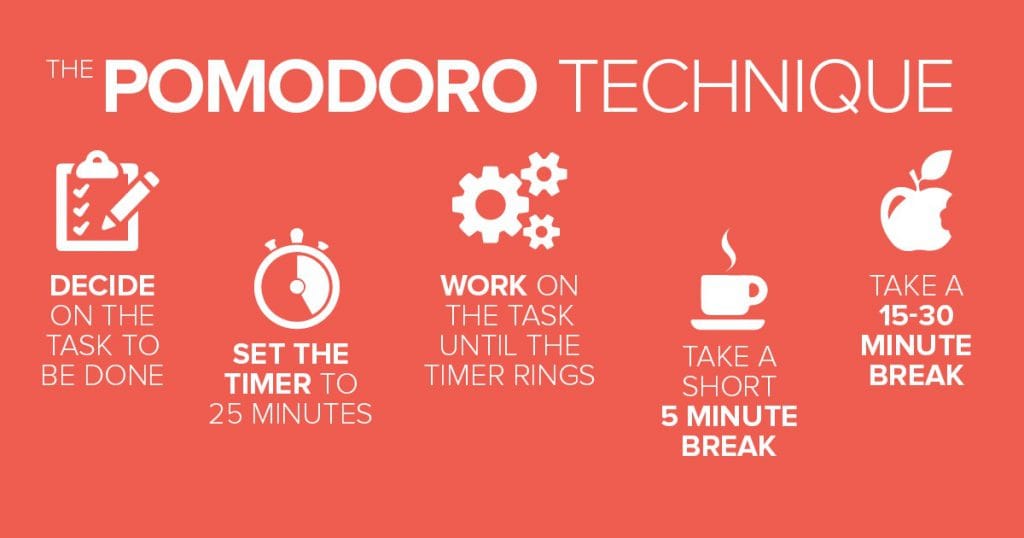
In the current world full of distractions, being focused is a skill that’s going to be in demand. The Pomodoro technique helps you stay focused on finishing your tasks. It’s a simple technique where you divide your tasks in chunks of 25 mins and take a 5 min break after every cycle. Once you complete four such cycles, take an extended break.
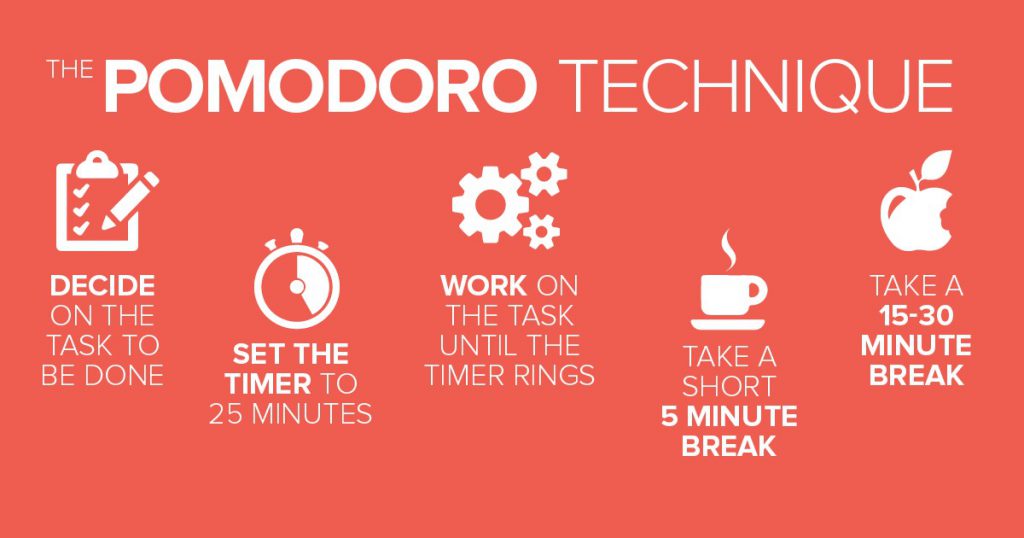
Image source - Google
The trick is to stay focused on the specified task for the next 25 mins - no switching tabs, no checking notifications. It’s straightforward and efficient in getting jobs on time. There are a ton of apps and tools that help you do this. I use pomofocus.io for the web and Pomodoro lite app for mobile.
Your Hour
Mobile screen time is a massive distraction to getting work done. It’s very typical to check our phone notification when we’re working. Our brain doesn’t respond well to this context switching, and we keep losing our focus. I’ve been a victim of this. On average, I used to spend 6-7 hours per day on my phone. I used to unlock my phone more than 200 times each day.
I used Your Hour app to measure and limit my phone usage. This app allows you to set timers on each of your apps, curates challenges like “4 hours Instagram fast,” etc., It’s helped me reduce my screen usage from 6-7 hours to 2-3 hours a day, and that’s a huge win. One pro tip - Start with measuring your current usage and slowly push your limits to reach your end goal. You can’t reduce your usage by half in a single day.
1 Question
How often do you think about how your user uses whatever you’re building? Does it even matter?
If you like my newsletter, please subscribe here and let me know your feedback! I’d love to hear from you.